HWH Workout · Bodyweight training for iPhone

Stop planning workouts. Start one.

Pick 6, 12, 18 or 30 minutes. HWH Workout picks the moves, shows each one, counts you in and talks you through it. No gym, no gear, no account. Just your floor.

No equipmentNo accountWorks offlineVoice coach
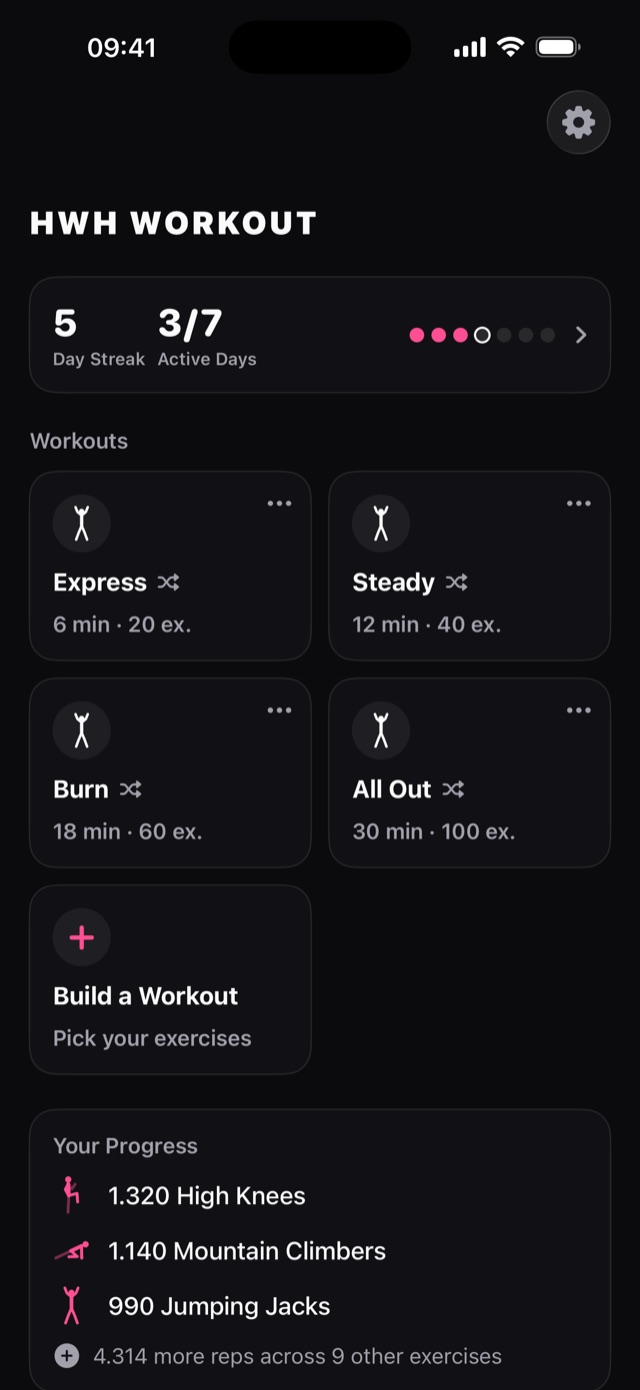
Dashboard: a 5-day streak, four ready workouts and lifetime reps per exercise
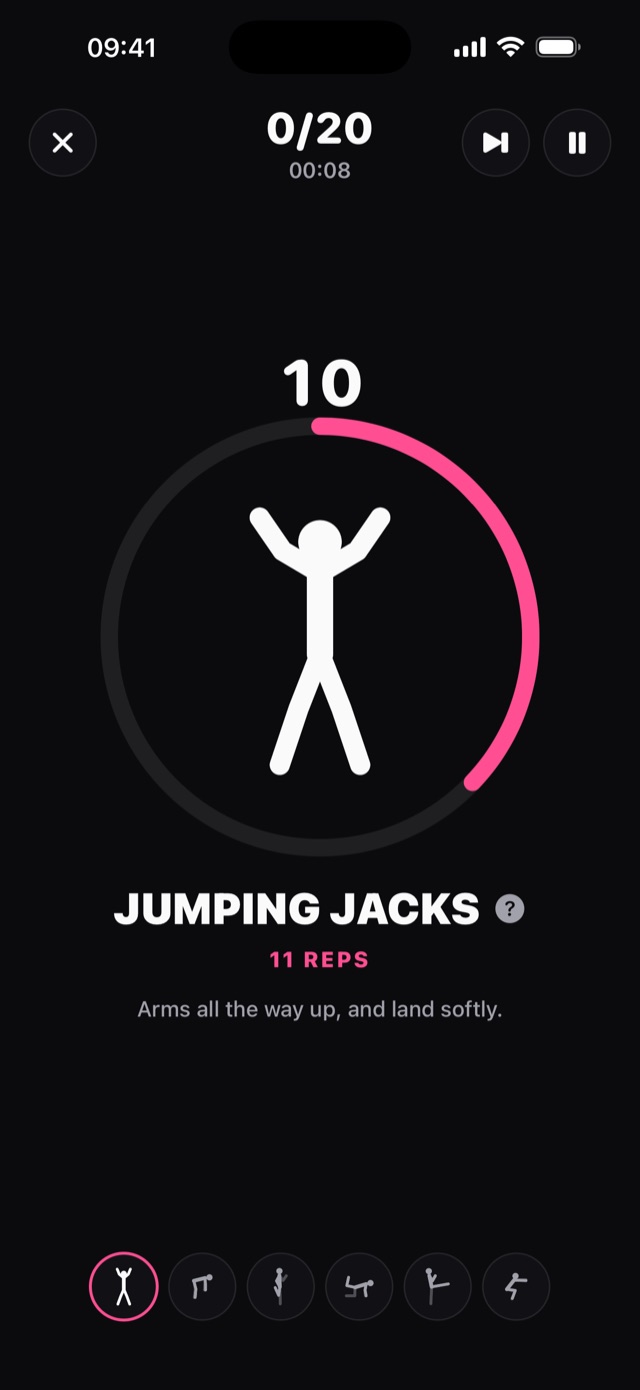
Workout in progress: jumping jacks inside a pink ring, 10 seconds left, 11 reps
5-day streakkeep it alive tomorrow
1,320high knees, lifetime

01 / Why you skip

Every reason to skip,
already handled.

Most workouts die before they start: you'd have to decide what to do, for how long, and how hard. HWH Workout decides all of it. You press start.

“No time.”

Six minutes is a workout.

Express is 20 moves of 15 seconds. Shorter than the time you spend choosing a show.

“No gym.”

32 moves, zero equipment.

Your floor is enough. A chair for tricep dips and a wall for wall sits, and that's the whole kit.

“No idea what to do.”

Every move, shown and named.

An animated figure demonstrates it, the coach says its name and a one-line form cue. A new order every time.

“No motivation.”

A coach, a streak, a counter.

It counts you in, pushes you through the last seconds, and adds every rep to a lifetime total.

02 / Try it

Stand up. One move.
Eighteen seconds.

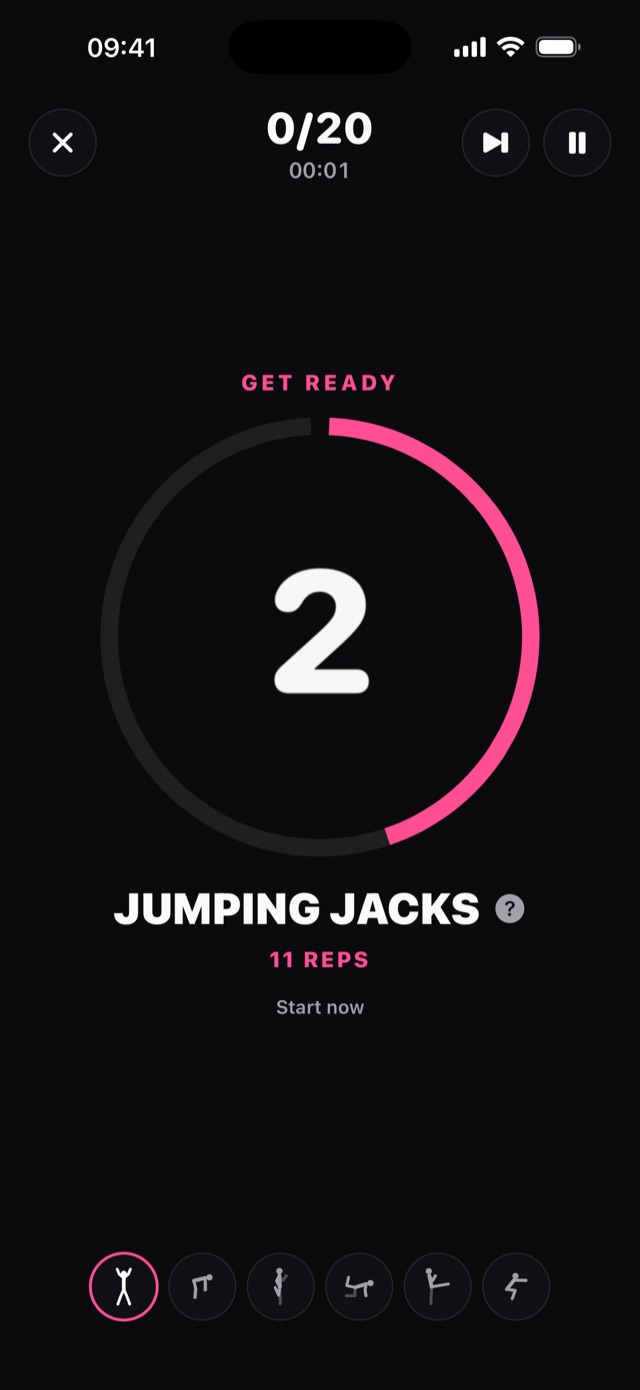
This is exactly how every move runs in the app: three seconds to get ready, then the ring fills while you work. Turn your sound on and press start.

  • The same figure and the same cues as in the app.
  • The coach speaks through your browser's voice; the app can use Apple's premium voices.
  • In the app, the next move follows on its own, 20 times in a row for Express.
TRY IT

Jumping Jacks

11 REPS

Arms all the way up, and land softly.

Get ready: a 2-second countdown in the ring before jumping jacks

03 / How it works

One tap,
then just follow.

No set-up, no rest timer to manage, no list to read. The screen and the voice tell you everything, one move at a time.

Pick a length

Express, Steady, Burn or All Out. Or one you built yourself.

Get ready

Three seconds: the move's name, its animation, “two, one, go”.

Move for 15 seconds

The ring fills, your rep target sits under the name, a form cue below it. Pause or skip anytime.

See what you did

Every move and every rep counted, added to your history and your streak.

04 / Ready on day one

Four workouts.
Zero set-up.

Each dash is one move. They come in a new order every time, cardio and strength taking turns, so your heart rate climbs and your legs get a break.

Express
6min
20 moves · EasyBefore your shower.
Steady
12min
40 moves · NormalInstead of scrolling.
Burn
18min
60 moves · HardA proper session.
All Out
30min
100 moves · MaxWhen you want to be wrecked.
CardioStrengthDifficulty sets the rep targets: Easy, Normal, Hard, Max.

05 / The coach

Eyes closed,
you'd still know what's next.

A voice coach runs the whole workout, so you never have to look at your phone on the floor.

  • Says each move's name, then “two, one, go”.
  • Gives a quick form cue the first time a move comes up, not every time.
  • Pushes you through the last seconds every few moves.
  • Your music keeps playing, just lowered while the coach speaks. Spotify, podcasts, anything.
  • Or pick a playlist from your music library: it starts and pauses with the workout.
  • Prefer silence? Turn the voice off. The cues stay written under each move.
  1. Jumping jacks.
  2. Two.
  3. One.
  4. Go!
  5. Arms all the way up, and land softly.Form cue, the first time only
  6. Keep going!Every fifth move, five seconds before the end
  7. Workout complete. Nice job!
  8. ♪  Your music underneath, the whole time.

06 / Make it yours

Your moves,
your length.

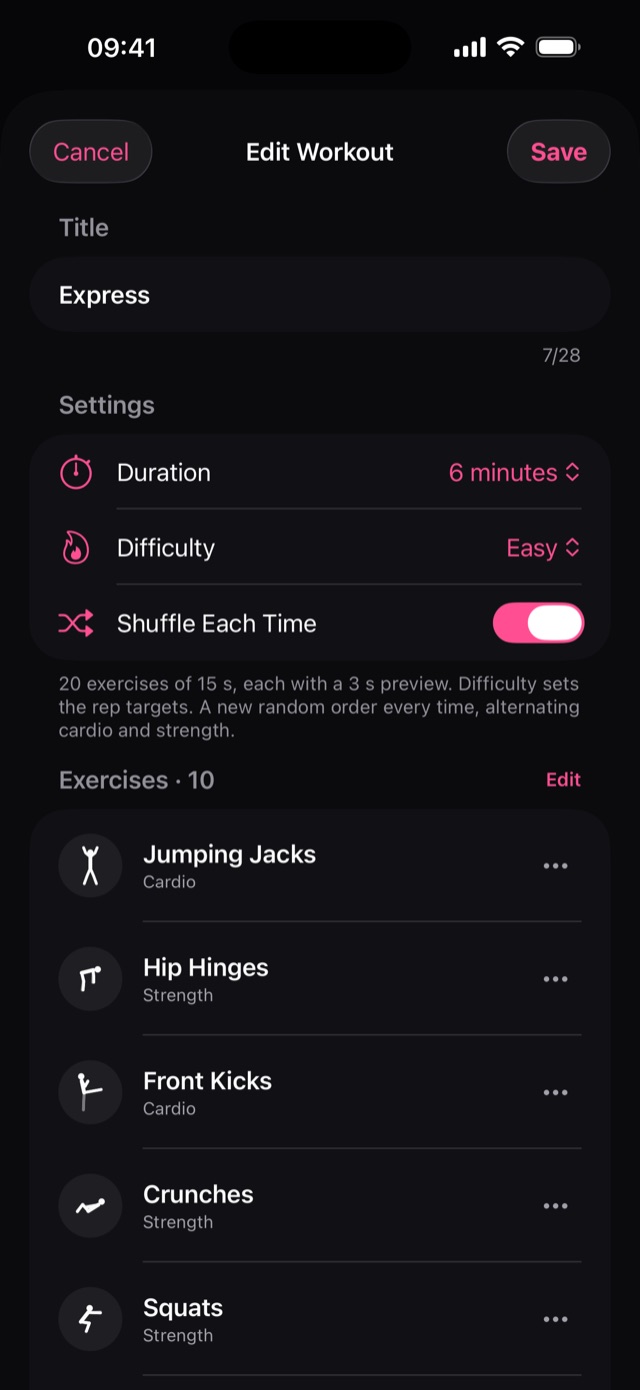
Hate burpees? Love planks? Build your own workout in a minute and it sits on the home screen next to the four ready ones.

  • Pick the moves you want from the library.
  • Any length from 3 to 60 minutes.
  • Easy, Normal, Hard or Max: the rep targets follow.
  • Shuffle each time, or keep your order.
  • Five accent colours for the whole app.
Edit Workout: duration, difficulty, shuffle each time, and the exercise list
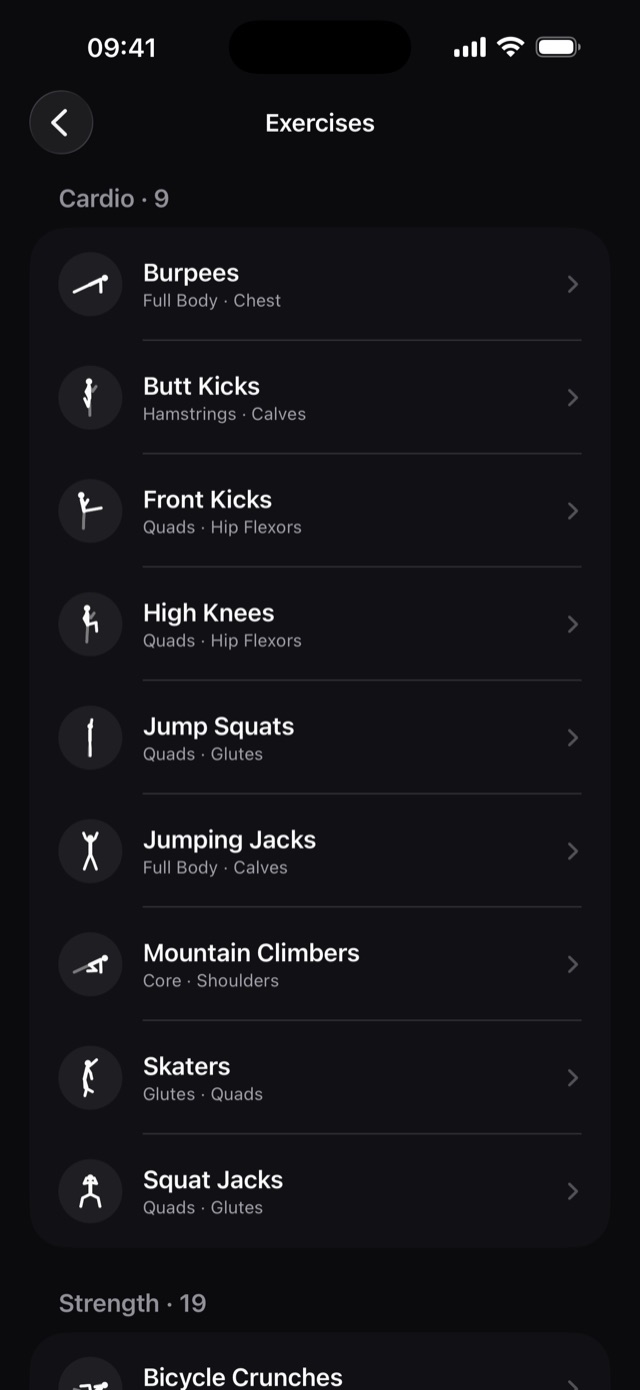
Exercise library: cardio exercises with the muscles each one works

07 / The library

32 moves.
Each one animated.

Every move has its own animated figure, the muscles it works and a form cue. Open the library anytime to look one up.

Cardio 9

BurpeesButt KicksFront KicksHigh KneesJump SquatsJumping JacksMountain ClimbersSkatersSquat Jacks

Strength 19

Bicycle CrunchesBird DogsCrunchesDonkey KicksFlutter KicksGlute BridgesHip HingesKnee Pull-InsLeg RaisesLungesPush UpsRotation Push UpsShoulder TapsSide Hip RaisesSide LungesSquatsSupermanTricep DipsV-Ups

Holds 4

PlankExtended PlankSide PlankWall Sit

08 / Progress

Watch the numbers
pile up.

Nothing keeps you coming back like a number you don't want to break. HWH Workout keeps several.

Day streakDays in a row with a workout.
Active daysHow many of the 7 days you moved this week.
Lifetime repsPer move: 990 jumping jacks, then 1,000.
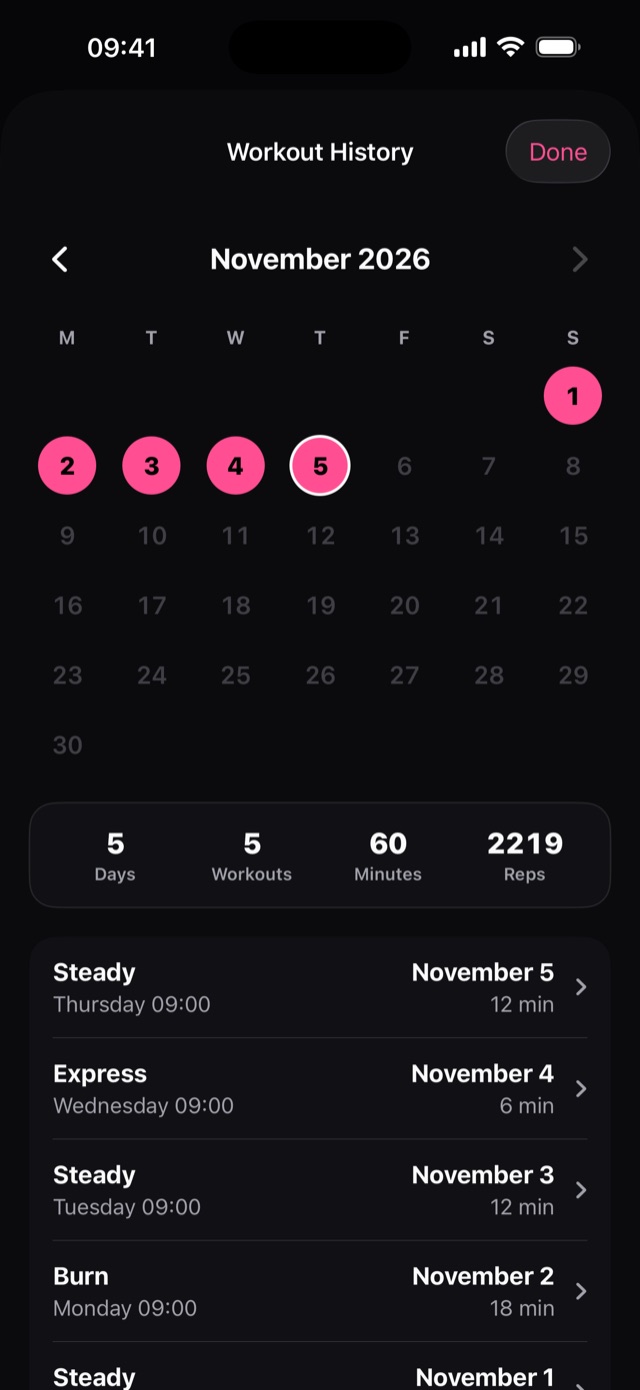
HistoryA calendar of every workout, with days, minutes and reps.
Workout history: a monthly calendar and totals for days, workouts, minutes and reps

09 / Screens

The whole app.

Real screens, nothing mocked up. Swipe through.

Dashboard
HomeStreak, workouts, lifetime reps
Workout intro
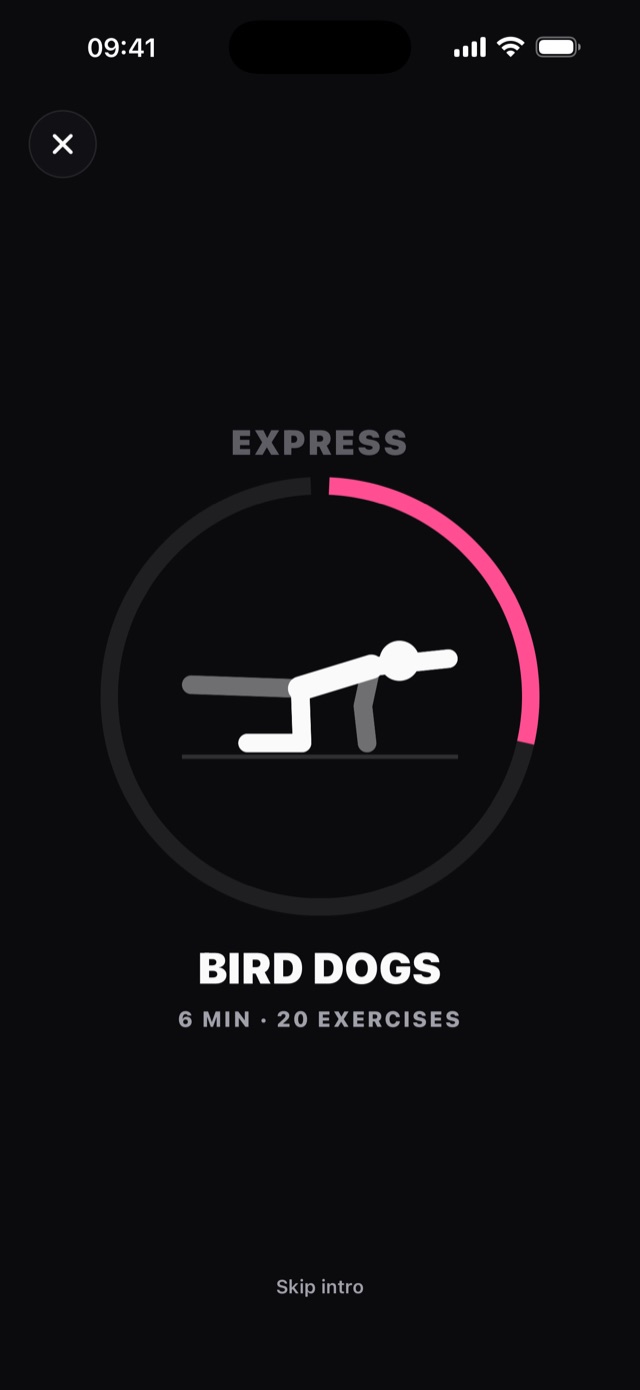
IntroA preview of what's coming
Get ready countdown
Get readyThree seconds to get in place
Workout in progress
WorkoutRing, reps and form cue
Edit workout
Your workoutLength, difficulty, moves
Exercise library
Library32 animated moves
Workout history
HistoryEvery workout, on a calendar
Settings
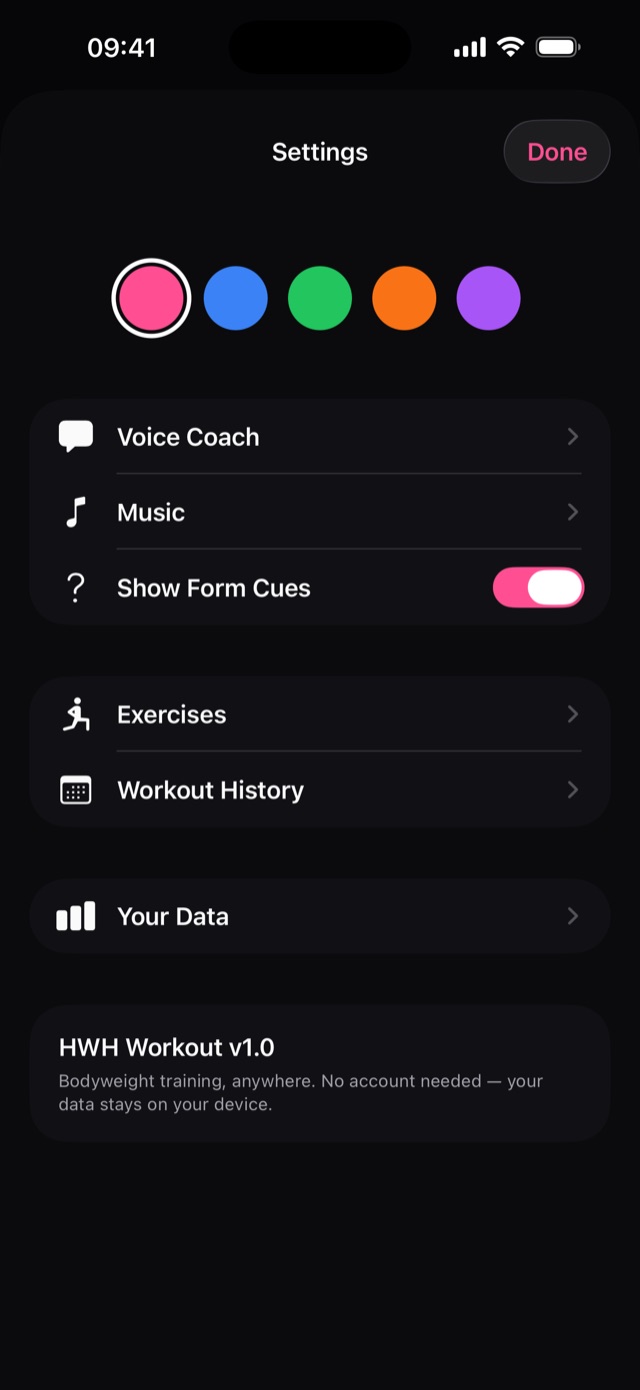
SettingsCoach, music, colours, data

10 / Privacy

Your workouts stay
on your iPhone.

There's no account to create and nothing to sync: your history lives on your iPhone, and the app works in airplane mode. Want it elsewhere? Export it as a CSV, open it in Numbers or Excel, or import it on another iPhone. This page doesn't track you either. Privacy policy →

  • ✕No account, no sign-up.
  • ✕No ads.
  • ✕No tracking, no analytics.
  • ✕No internet needed.

11 / FAQ

Questions.

Do I need any equipment?

No. Every move uses your body weight. Tricep dips want a chair or a step and wall sits want a wall; if you don't have them, take those moves out of your workout.

I haven't trained in years. Is it for me?

Yes. Start with Express: 6 minutes on Easy, with lower rep targets. Every move is shown and explained, and you can pause or skip one anytime. When it feels easy, try Steady, or raise the difficulty.

How long is each move?

15 seconds of work after a 3-second preview. Ready sooner? Tap “Start now”. Want to skip one? There's a button for that too.

Can I listen to my own music?

Yes. Start Spotify, Apple Music or a podcast before the workout and it keeps playing, lowered while the coach speaks. Or let the app play a playlist from your music library.

Do I need an account or an internet connection?

Neither. Everything runs and stays on your iPhone.

Which devices does it run on?

iPhone, with iOS 17 or later.

When can I get it?

HWH Workout is coming to the App Store very soon. Send a one-line email and you'll hear back on launch day.

I need help.

Write to artusbe@gmail.com. A real person answers.
12 / Get HWH Workout

Your first six minutes start now.

No plan to write, no gear to buy, no account to make. Pick a length and follow the coach.

Coming soon on the App Store for iPhone.